

GPS updates.
From your iPad or iPhone.
Coming soon · Beta testers wanted
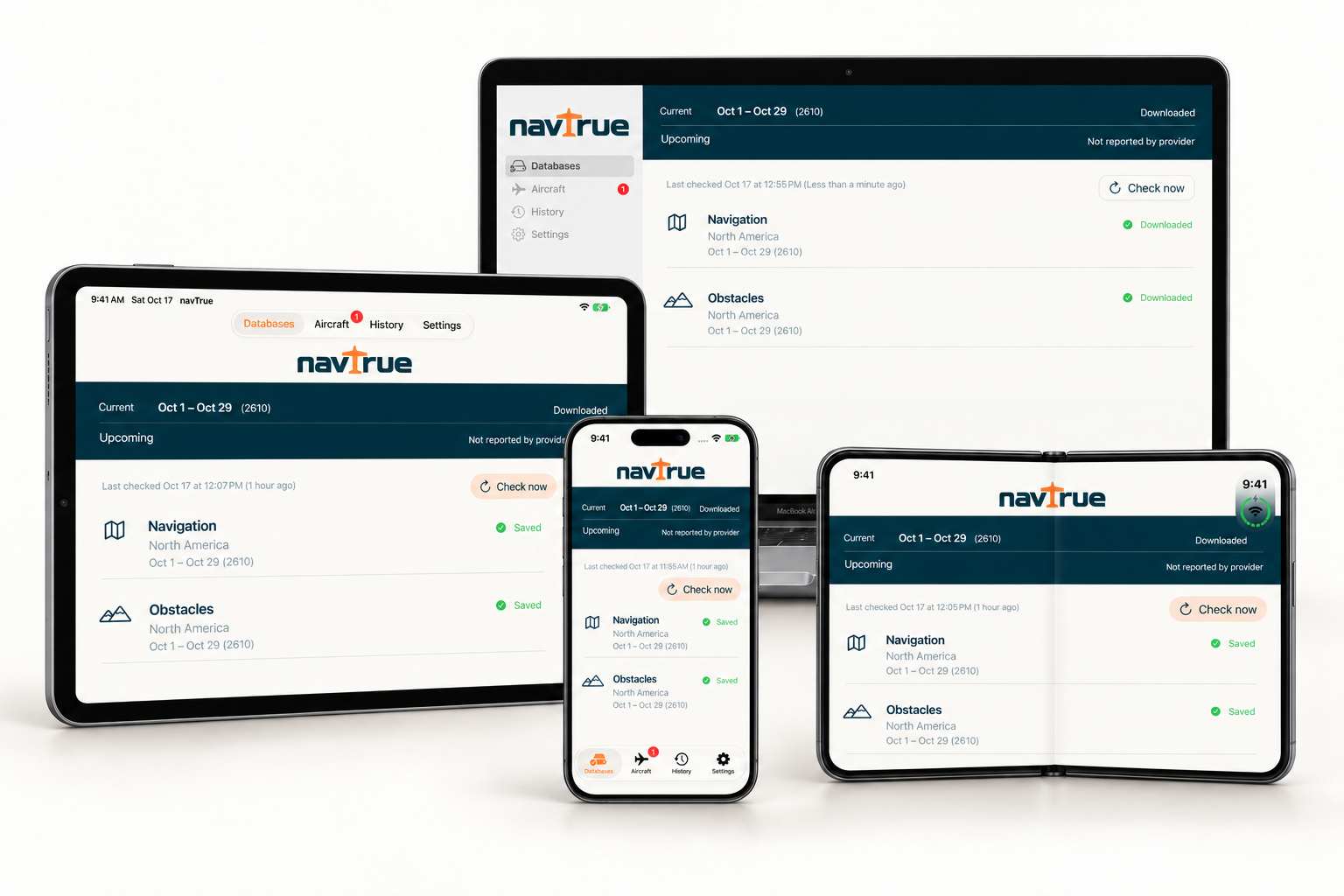
Jeppesen GPS database updates from your iPad, iPhone, or Mac. USB, SD, microSD, and Garmin data cards. One app for your aircraft and compatible GPSs.
Ready when the next cycle is.
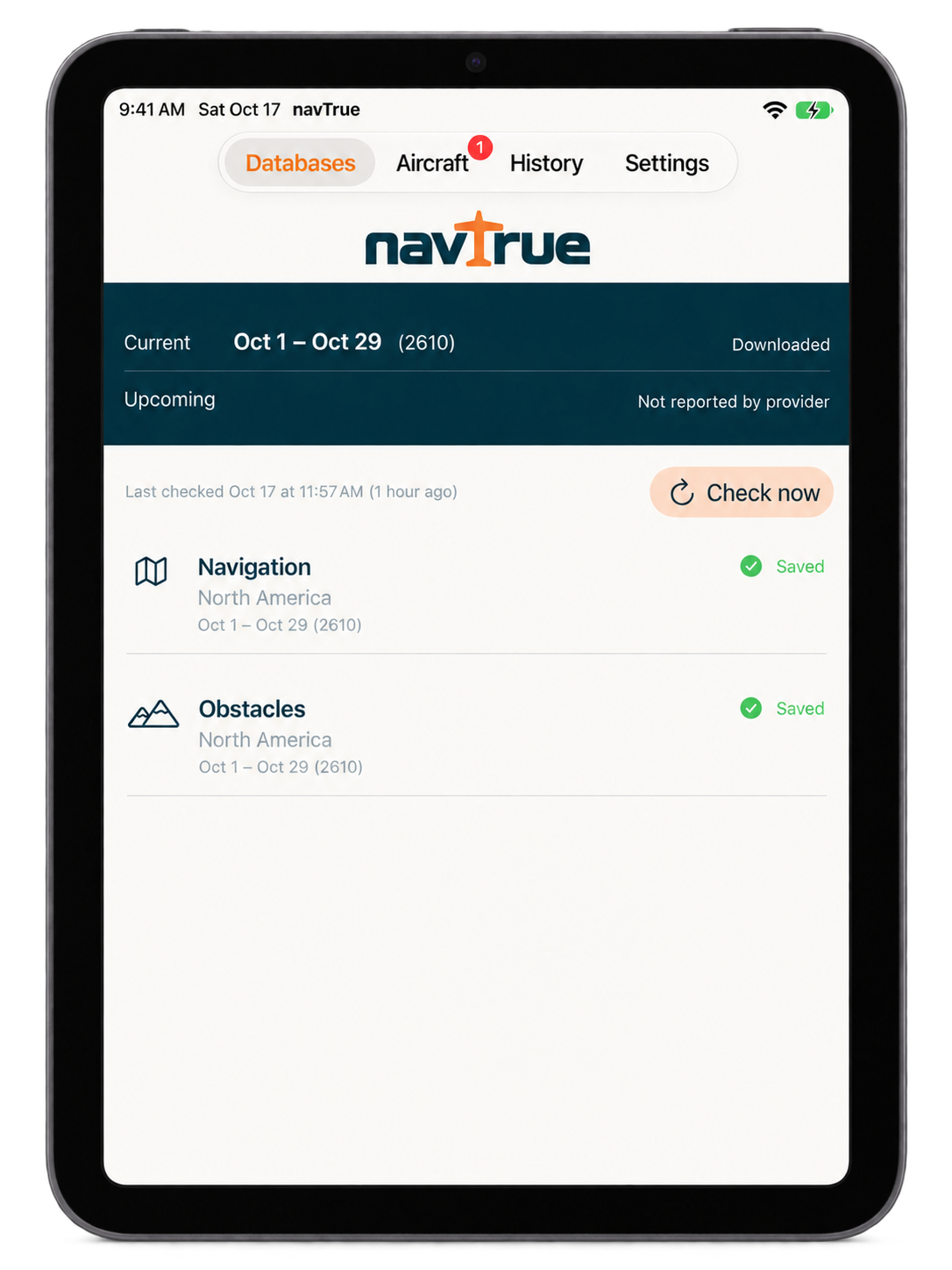
Know when it’s time.
Push notifications let you know when new databases are available for your aircraft.
Keep every aircraft together.
Manage applicable Jeppesen databases across multiple aircraft in one place.
Prepare ahead.
Download and validate before connecting your update media, with background preparation when your device permits. On Mac, keep navTrue running in the menu bar between updates.
Less time updating. More time flying.
You bought an airplane to fly it. Leave the database busywork behind.
1. Prepare ahead.
Download and validate your Jeppesen databases before you connect your media.
2. Connect. Update.
Use the USB drive, SD card, microSD card, or proprietary data card your GPS needs.
3. Verify. Then fly.
navTrue checks the update and tells you when your media is safe to remove. Load it into your GPS using its normal procedure.
Different GPSs. One app.
Two navigators in one panel, or different GPSs across your airplanes. Keep each aircraft, navigator, and database organized together.
GPS Compatibility
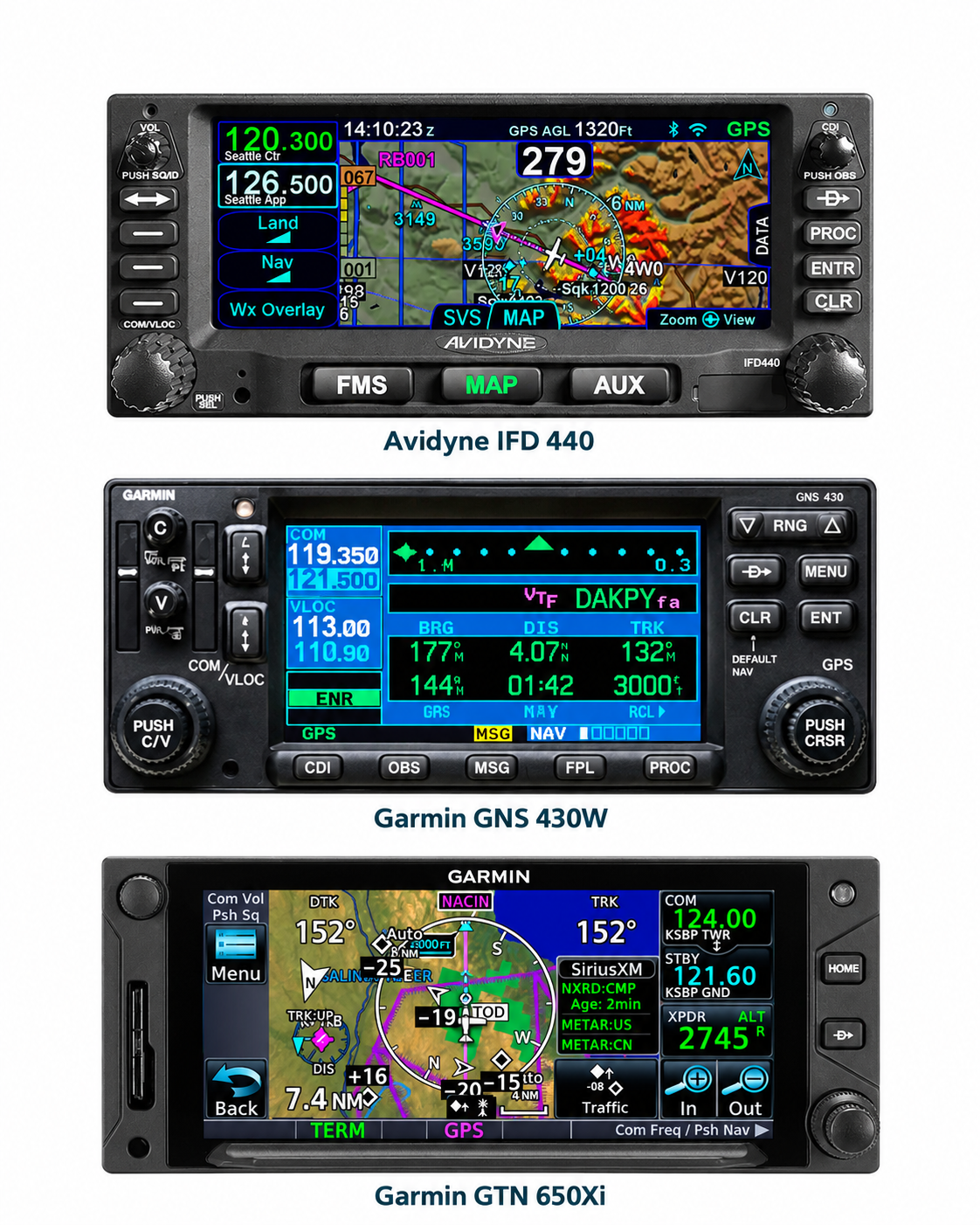
Launching with coverage for the following GPS units.
Avidyne IFD & BendixKing AeroNav
IFD 410 / 440 / 510 / 540 / 545 / 550.
AeroNav 780 / 800 / 880 / 900 / 905 / 910.
Garmin GNS & legacy GPS
GNS 400W / 500W, including 430W / 530W; non-WAAS GNS 400 / 500; GPS 150 / 155 / 165 and GNC 250 / 300 variants.
Garmin SD & microSD families
GTN / GTN Xi; GPS 175; GNC 355 / 355A; GNX 375; G1000 / NXi; G900X; G950; G3X Touch; applicable aera 660 / 760 chart packages.
Avidyne EX5000 & charts
EX5000 MFD database and applicable chart workflows.
Your Jeppesen subscription must match each aircraft and navigator. Tell us your exact installation when joining the beta.
Connect with confidence.
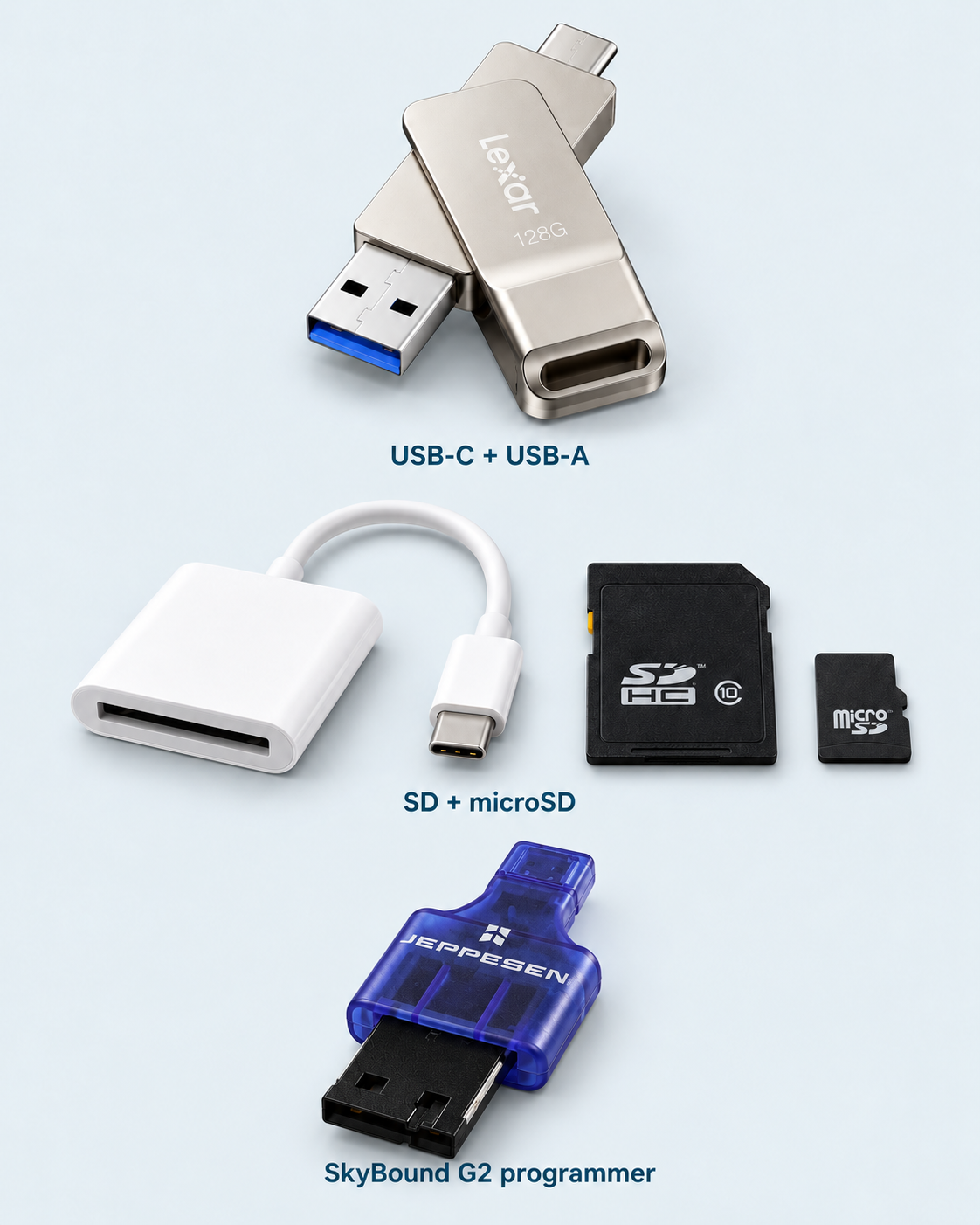
Choose the media/adapters your GPS needs. These are direct links to purchase hardware with no affiliate tracking.
USB drives
Lexar D40E 128 GB USB-C / USB-A: tested with navTrue and an IFD 440. USB-C for your Apple device. USB-A for IFD / AeroNav. No proprietary programmer for this workflow.
SD & microSD
Apple USB-C SD reader · BnmxTek SD / microSD reader
SanDisk 32 GB SDHC · SanDisk 16 GB microSDHC
Match card capacity and format to your installed GPS. Preserve Flight Stream and configuration cards.
Garmin GNS data cards
Use the correct proprietary card and Jeppesen SkyBound G2 programmer for your navigator. These are not ordinary SD cards.
Need a connector?
Apple USB-C to USB adapter · Lightning to USB 3 Camera Adapter
Use a data-capable connection and external power when needed.
Not sure what to buy? Tell us your equipment when you join the beta. We’ll help match the hardware to your installation.
A few things to know.
Your aircraft. Your data subscription. A simpler way to keep them together.
-
Yes. navTrue prepares the databases available through your own Jeppesen subscription. Database subscriptions and coverage are purchased separately from navTrue and must cover each aircraft and navigator.
navTrue is an independent Runway Hero product. Manufacturer and product names identify compatibility and do not imply endorsement.
-
Yes. Manage different GPSs in one airplane or across multiple aircraft. Your navTrue subscription covers Mac, iPad, and iPhone using the same Apple Account. Your Jeppesen coverage must match each installation.
-
For the IFD / AeroNav beta, use Mac to prepare valid update media initially. Routine updates can then be made from iPad, iPhone, or Mac with a compatible USB connection. Device and media availability will be confirmed during beta onboarding.
-
navTrue sends push notifications when new applicable databases are available, with notifications enabled. Background checks and preparation run when the operating system permits; iPad and iPhone scheduling depends on Apple, power, network, and app settings.
Download and validate the required data before going offline. Cached data can be used for supported media preparation when the required configuration and subscription authorization remain valid. Initial purchase or restore needs an internet connection.
-
No. The interest list lets us contact you about testing. It does not make a purchase or start the launch trial.
At launch, new database writes will require an active navTrue subscription after any eligible trial. Inspection, downloads, and recovery remain available. Media preparation and avionics installation are separate steps; follow the installed navigator’s update and verification procedure on the ground.
Under $5/month
($59 billed annually)
Less time managing databases. More time planning the flight and enjoying it. Bring your Jeppesen updates, aircraft, and compatible navigators together on the Apple devices you already use.
Launch pricing · 3 calendar months free for eligible new subscribers
Then US$59 per year, renewing automatically unless canceled. For Mac, iPad, and iPhone. Jeppesen database subscriptions and any required hardware are separate.
Help shape navTrue.
Join the beta interest list. Tell us what you fly and the GPSs you use so we can match you to a test group.
Signing up does not start a subscription or free trial.